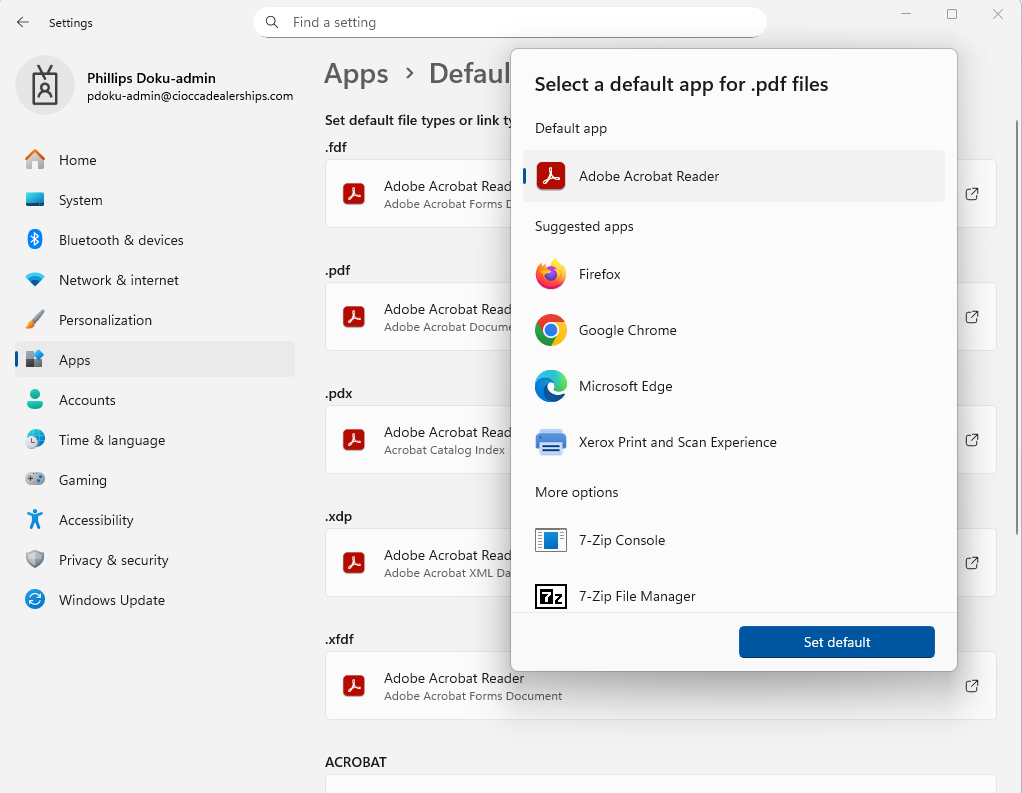
As of now, all web browsers have a built-in pdf viewer. Unfortunately those pdf viewers may not be compatible with certain documents. This article will show you how to change the default application to the industry standard, Adobe.
First, you must make sure Adobe Acrobat Reader is installed on your computer by checking "Program and Features." If not, submit a ticket with request of the installation of adobe reader.
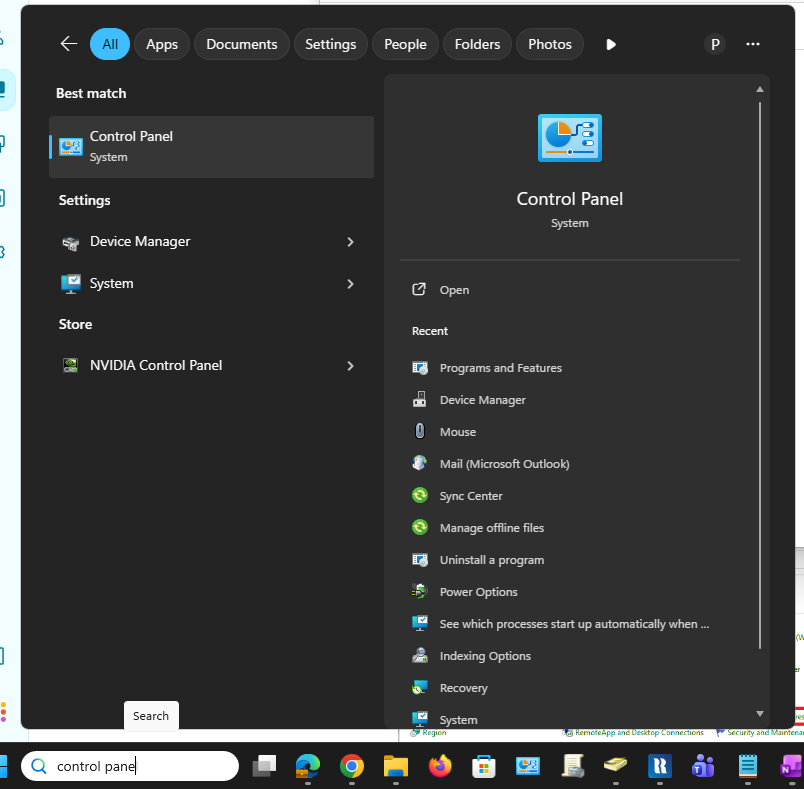
Go to the Windows Search Bar and type "Control Panel"
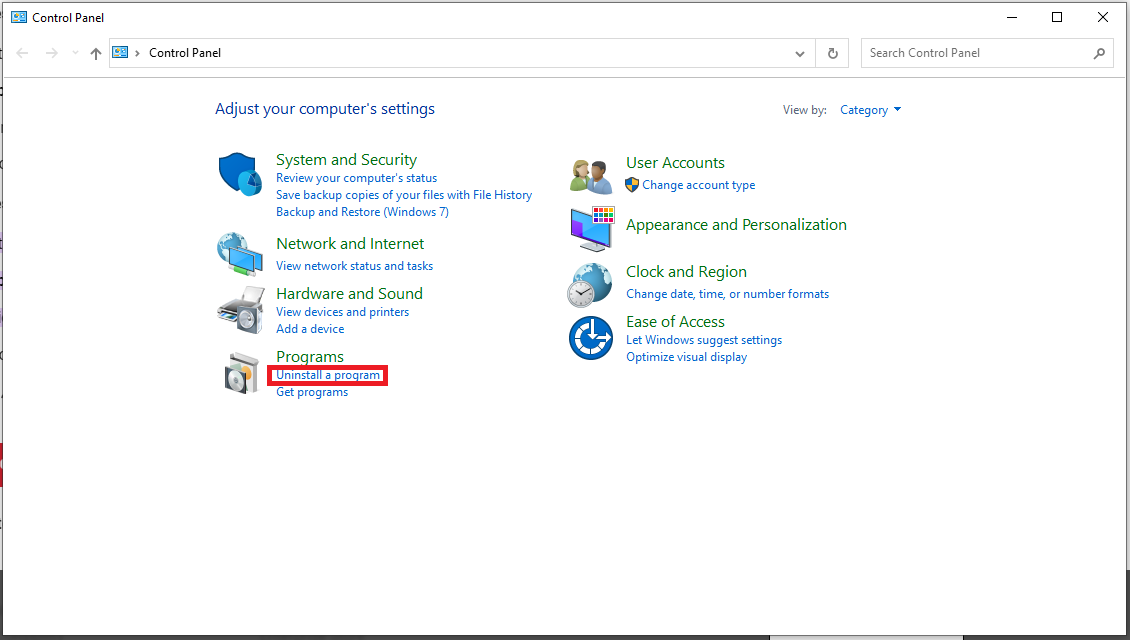
Click "Uninstall a program" or "Program and features" depending on your view(large icons and small icons have the same selection)
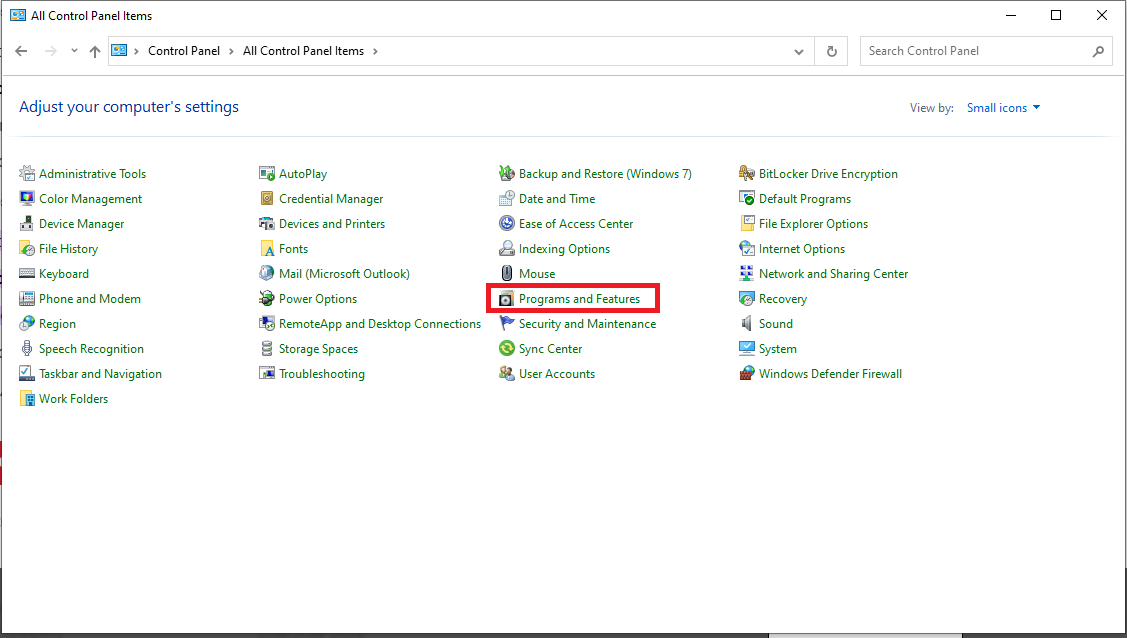
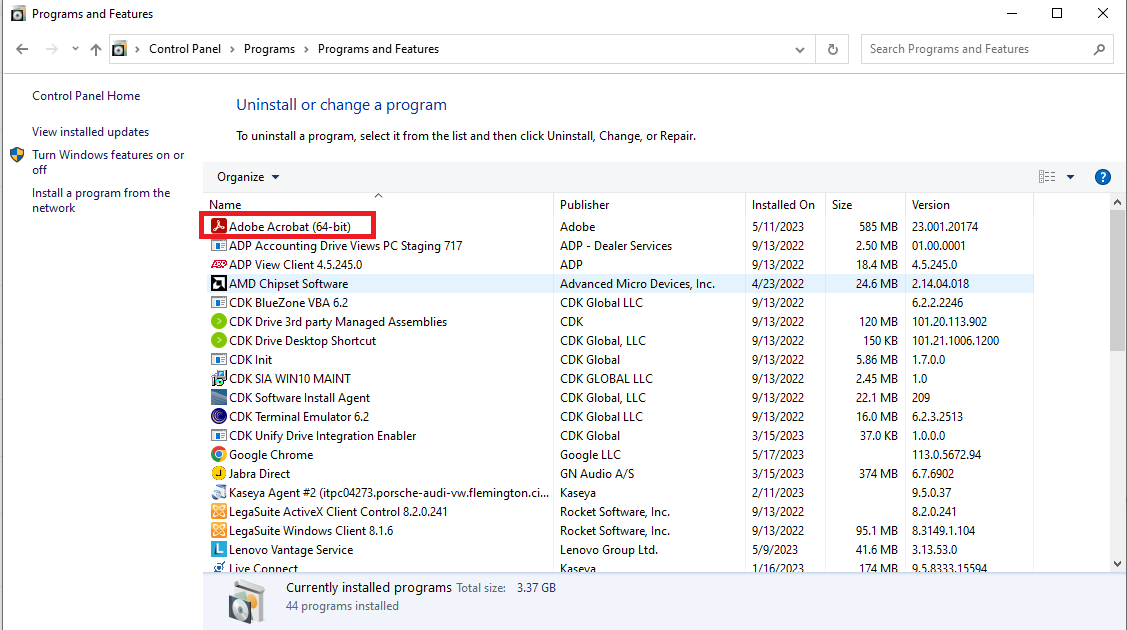
Once you confirm you have Adobe installed, proceed to the next steps.
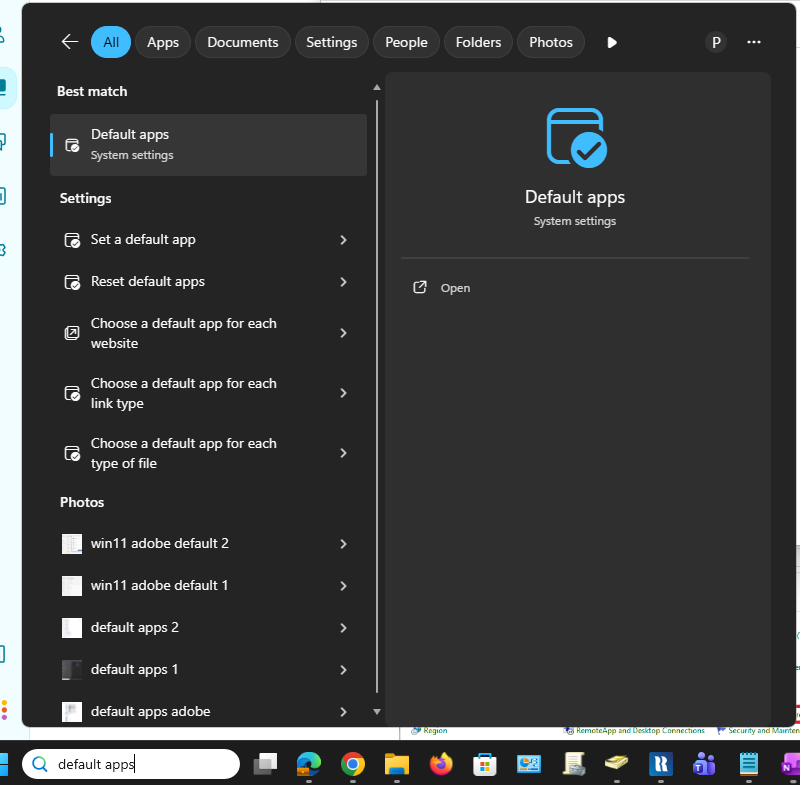
1. Go to the Windows search bar and type "Default Apps"
2. Click on Adobe Acrobat Reader
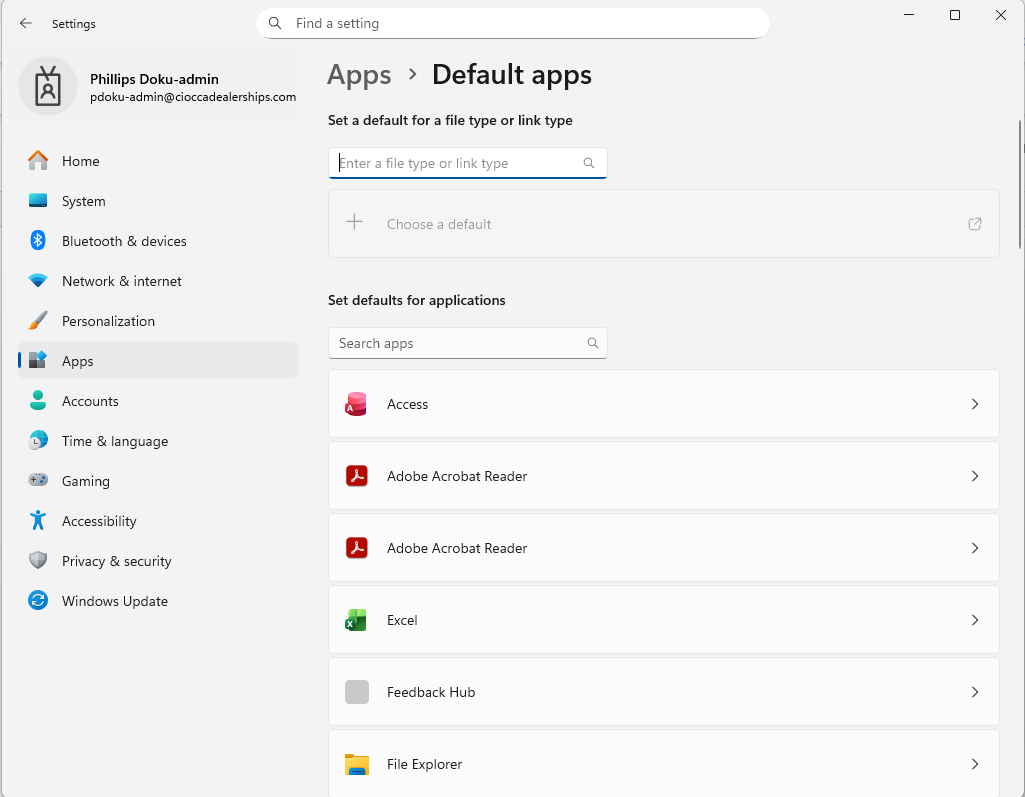
3. Click the icon under to ".pdf" and choose "Adobe" . You may also get the option to "Set Default." This will automatically choose Adobe for the other file types listed.