
NOTE: PLEASE BE MINDFUL AND VERIFY THE EMAIL YOU ARE RELEASING IS LEGITMATE. PAY ATTENTION TO THE SENDER ADDRESS, SENSE OF URGENCY, ANY GRAMMAR MISTAKES, AND SUSPICIOUS ATTACHMENTS/LINKS.
Please check your Junk Email section if an email is not received in your inbox before checking your quarantine page.
LINK TO ACCESS QUARANTINE WEBPAGE: https://security.microsoft.com/quarantine
Here is an example of a quarantine email sent to your inbox:
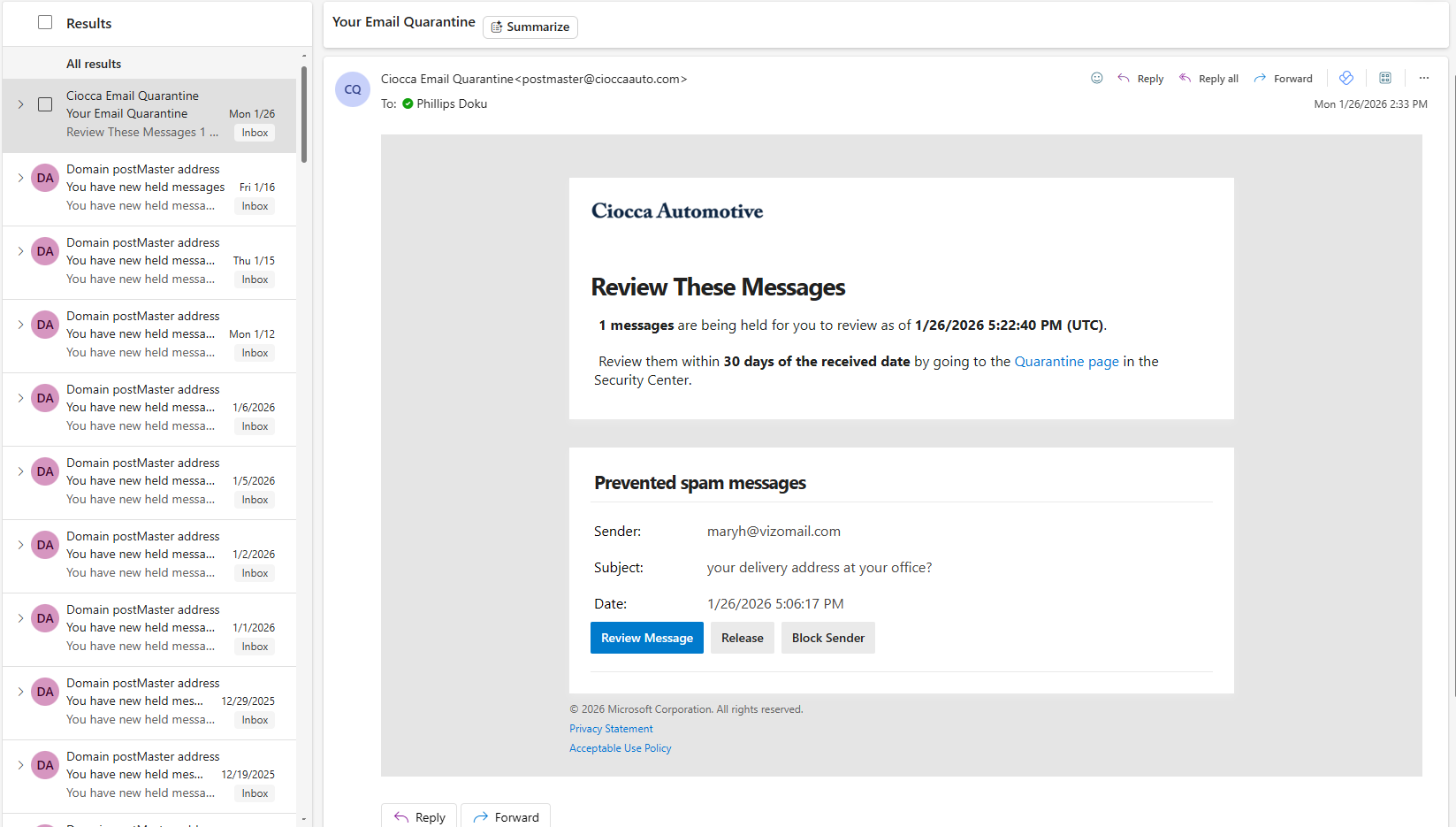
Clicking "Release" will send the email to your inbox.
Clicking "Block Sender" will block any future email
Clicking "Review Message" will open the Microsoft Defender webpage for Quarantined messages:
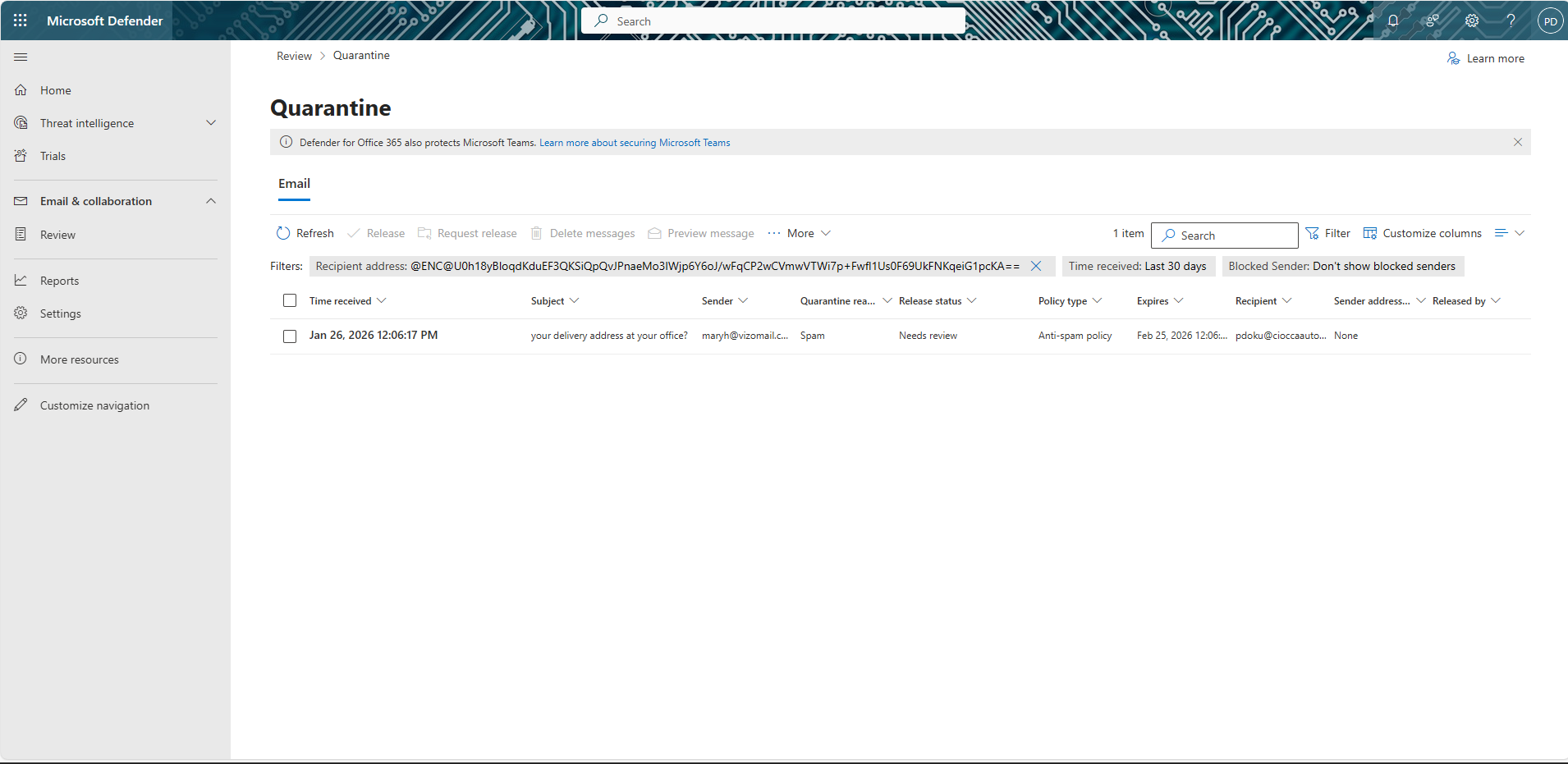
Clicking on the email you want to review will bring up another menu on the foreground:
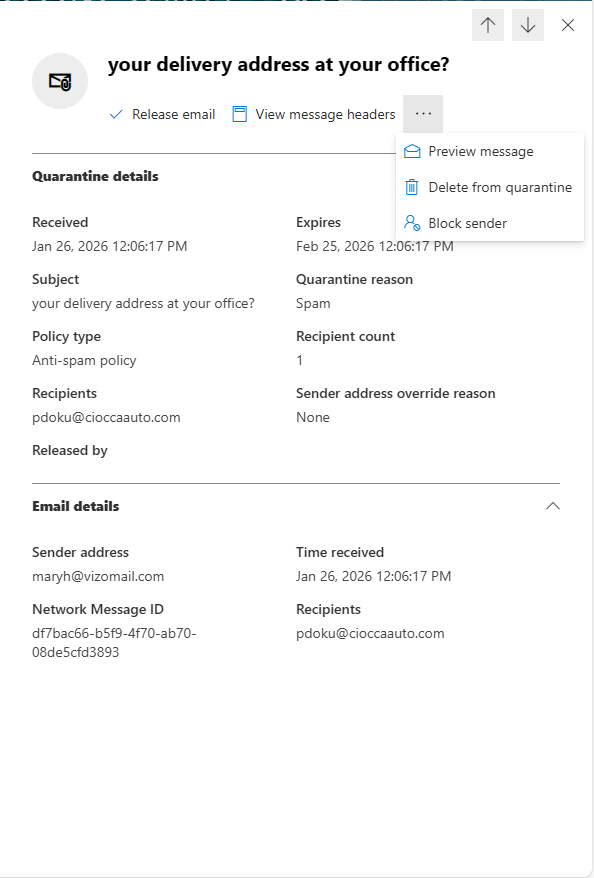
On the webpage, you will have options when you click the checkmark next to the desired email(most of the options are also available in the menu above):
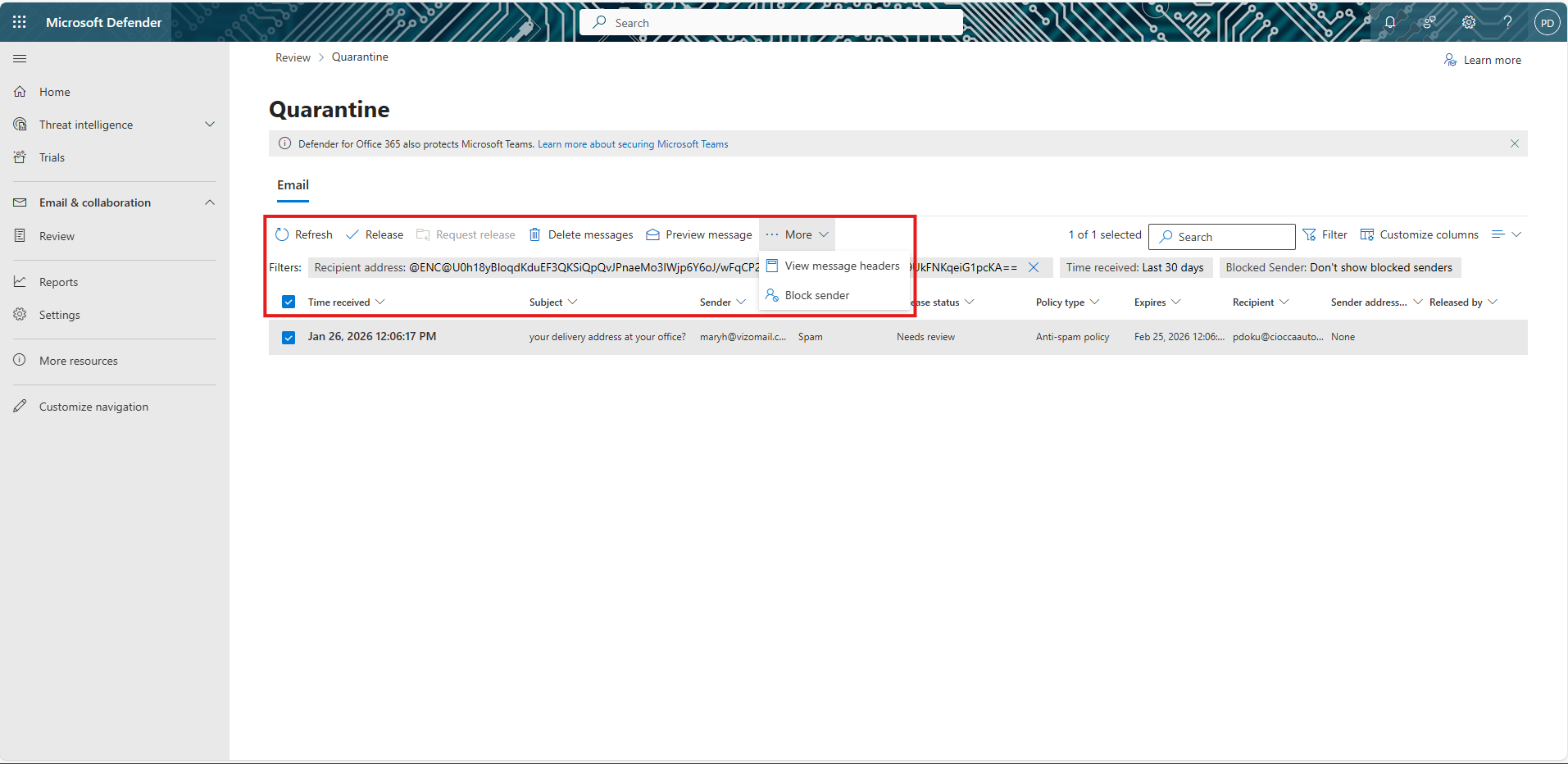
Clicking "Preview message" will bring up the body of the email.
Again, please verify that the email is legitimate before releasing it. If you are expecting an email and it does not show up in Quarantine then submit a ticket on it.cioccaautomotive.com. It might have been removed due to Abnormal, our new email security system.